Roblox Safety Risks in 2026: A Parent’s Field Guide
Roblox is the most popular game in the world among kids — more than 80 million daily active users, with a median age that skews younger than most parents realize. It’s also a platform under unprecedented legal and regulatory pressure in 2026, with hundreds of child-safety lawsuits, a multidistrict litigation that included 85 active cases by January, and an April 2026 announcement that Roblox is rolling out new age checks and parental controls in response to mounting complaints.
If your kid plays Roblox — and there’s a very good chance they do — understanding the real Roblox safety risks in 2026 is no longer optional.
The good news: most of the danger comes from a small handful of patterns, and a parent who knows them can shut down the worst exposure in an evening.
This guide explains what’s actually happening on Roblox in 2026, the scams and predator tactics that matter most, and a practical setup checklist for parents and older players who want to stay safe without quitting the game.
What Roblox Actually Is in 2026
Roblox is not one game; it’s a platform that hosts millions of user-built “experiences,” from obstacle courses and roleplay sims to social hangouts and competitive shooters. Players use Robux (the in-platform currency, bought with real money) for items, avatar accessories, and access to some experiences.
// MISSION: TEST YOUR DEFENSES //
Passwords, phishing, Wi-Fi, malware. Six fronts. One quiz. Ten questions to prove it.
Anyone — including strangers — can build a game and invite your child in. Voice chat, text chat, and friend requests are all on by default for older accounts.
That openness is what makes Roblox creative and addictive. It’s also why the same platform that hosts wholesome cartoon obstacle courses also hosts experiences flagged by researchers for sexual content, gambling-style mechanics, and chats that move quickly to outside apps where Roblox can’t see them.
Why 2026 is a turning point
In April 2026, Roblox announced expanded age verification and parental controls following lawsuits from families and from Los Angeles County, which sued the company alleging it misled parents about safety. Oregon’s Internet Crimes Against Children Task Force reported a notable rise in predator cases involving Roblox, with hundreds of cyber tips related to the platform in a single year.
Multiple class actions are still working their way through court. The platform has improved, but parents should treat the safety question as ongoing, not solved.
The Three Roblox Threats That Matter Most
You’ll see a hundred breathless headlines about Roblox. Strip them down and almost every legitimate complaint falls into one of three buckets.
Threat 1: Predator grooming and the “move to Discord” trap
The dominant pattern in arrest reports is depressingly consistent. A predator approaches a child inside a Roblox experience, builds rapport with compliments and small Robux gifts, then pressures the child to move the conversation to Discord, Snapchat, or Telegram — places Roblox can’t moderate.
Once outside, requests for personal photos, video calls, or in-person meetings escalate quickly.
Some warning signs to watch for: a child suddenly being secretive about Roblox, asking for a Discord account “for a friend they met in a game,” receiving unexplained Robux gifts, or quickly switching apps when you walk into the room.
The predator’s playbook is well-documented and not new — but the volume and accessibility on Roblox is what makes it different from older platforms.
Threat 2: Account hijacking and “beaming”
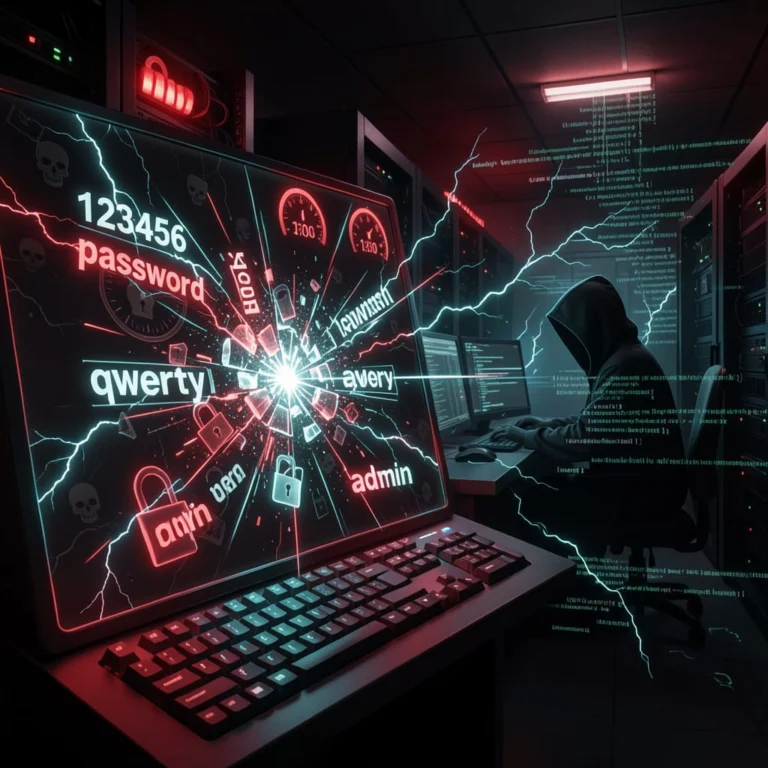
“Beamers” are an organized subculture of attackers who specialize in stealing Roblox accounts to resell rare items and Robux for real money or cryptocurrency. Their primary tool is sophisticated phishing.
- Real-time credential checking. A fake Roblox login page passes whatever the victim types straight to the real Roblox API. If the credentials are wrong, the page shows an error; the moment they’re right, the attacker takes over.
- Free-Robux generators and fake giveaway sites. The classic lure. Victims enter their username and password; some sites also harvest payment cards.
- Cookie stealers. A “hack” or “cheat” download from YouTube, GitHub, or Discord steals the Roblox session cookie from the victim’s browser. With that cookie, an attacker can log in without ever knowing the password.
- Trade scams. An attacker offers a high-value item in trade, then uses a UI trick or off-platform link to walk away with the victim’s items instead.
McAfee Labs and other researchers continue to track a steady stream of fake Roblox and Minecraft “hack” downloads pushed through YouTube descriptions and GitHub repositories — all of which install malware on the household’s devices. The same playbook shows up in adult-targeted attacks; for a deeper read on related credential-theft tactics, see our explainer on QR code phishing in 2026.
Threat 3: Money mistakes and gambling-style mechanics
Roblox makes spending real money feel like spending a video-game token. Kids rack up hundreds of dollars on Robux, special “limited” items that promise rarity, and pay-to-progress experiences. A meaningful subset of experiences uses gambling-style “case opening” mechanics that look and feel like loot boxes — and several pending lawsuits argue these are illegal gambling offered to minors.
Even when nothing illegal is happening, parents routinely discover unexpected Robux charges on family credit cards. The fix is operational: keep payment methods off the child’s account and require a parent’s PIN for any Robux purchase.
The 45-Minute Family Roblox Setup
Done once and reviewed every couple of months, this checklist removes most of the day-to-day risk.
Step 1: Set up a Parent account and link it to your child’s account
Create your own Roblox account, then link it to your child’s account through Account > Parental Controls. Set a Parent PIN that the child does not know. Without that PIN, your child can quietly undo every restriction you set, so this is the foundation everything else rests on.
Step 2: Lock down chat and contact
- Turn off voice chat for under-13 accounts (it should be off by default, but verify).
- Set Who Can Chat With Me and Who Can Message Me to “Friends” or “No One.”
- Set Who Can Invite Me to Private Servers and Who Can Join Me to “Friends” or “No One.”
- Disable direct messages for accounts under 13 (default in 2024 and later, but confirm in settings).
Step 3: Restrict the experiences they can join
Use the Content Maturity rating in Parental Controls to limit your child to “Minimal,” “Mild,” or “Moderate” experiences and block anything labeled “Restricted.” Review the list of friends weekly; if names appear that your child can’t actually identify in real life, ask why. Make a household rule that you never accept friend requests from strangers.
Step 4: Turn on two-factor authentication
Roblox supports email-based and authenticator-app 2FA. Pick the authenticator-app option and back up the recovery codes somewhere offline. This is the single biggest defense against beamers; even a successful phishing attempt is much less useful without the second factor. The Roblox 2FA setup screen also lets you set Account Restrictions and a separate password for parental controls — turn both on. (For a primer on why authenticator apps beat SMS, see our walkthrough on setting up passkeys in 2026.)
Step 5: Separate money from the kid’s account
- Remove saved credit cards and payment methods from the child’s account.
- Use Roblox gift cards purchased in store or with explicit parent approval — never store the redeemed Robux on a card-linked profile.
- Turn on email or app notifications for any purchase.
- Review the family bank statements for “RBLX” charges every month.
Step 6: Talk through the move-to-Discord trick
This is the single most important conversation. Tell your child, in plain words: anyone who tries to move the conversation off Roblox — to Discord, Snapchat, Telegram, Instagram, text, or anywhere else — is breaking your family’s rule, no matter what they offer in Robux or in-game items. Explain that even friendly adults who play Roblox don’t ask kids to move to other apps. Then make sure they know they will not be in trouble for telling you about a creepy chat. The right script is short, repeated, and free of shame.
Habits and Hygiene Beyond the Settings
Settings only do part of the job. The other part is daily habits that turn the household into a poor target.
For the child
- Never share your password, account name, or two-factor codes, even with a “trusted friend” inside the game.
- Don’t click “free Robux” links or run “hack” downloads. There is no such thing as a free Robux generator that works.
- Use a unique password, not the one used for school or anywhere else. A password manager makes this painless.
- Tell a parent immediately if a stranger asks personal questions, sends a private link, asks to move to another app, or sends Robux as a “gift.”
For the parent
- Keep Roblox on a shared device in a shared room. Bedrooms with closed doors and Roblox don’t mix.
- Audit the friend list and recent experience history together once a week. Make it a low-stakes ritual, not an interrogation.
- Watch for behavior changes — secrecy, mood swings, late-night play, asking for app stores you’ve never heard of. Many predator cases became visible at home before the criminal investigation did.
- Report problematic users and content through Roblox’s in-game report tools, and report suspected abuse to the National Center for Missing & Exploited Children’s CyberTipline.
Device-level help
Roblox is one app on a device with many. The same “always-on, always-listening” risks that show up in our piece on protecting your family’s data matter on the phones, tablets, and PCs your kids use to play. Network-level filtering tools like NextDNS, OpenDNS Family Shield, or built-in router parental controls can block known phishing domains and adult content even when the child outsmarts an in-app filter.
If Your Child’s Account Has Been Hijacked
Beaming happens fast. Move quickly.
- Use Roblox’s “Forgot password” flow to reset the password on a different device. If the email address has been changed, contact Roblox Support immediately with the original account info and any receipts.
- Once back in, sign out all sessions, rotate the password, and turn on authenticator-app 2FA if it wasn’t already on.
- Check the trade history and friends list; remove anyone the child does not know in real life.
- Run a malware scan on the device used to play. Cookie stealers leave traces and often come bundled with browser extensions worth removing.
- If money was charged, dispute via your card issuer with screenshots of the unauthorized purchases.
Final Word: Roblox Is a Platform, Not a Babysitter
Treating Roblox as a video game massively under-sells what it is in 2026. It’s a global social network with a built-in payment system and millions of strangers who can invite your kid into their world with one tap. That doesn’t mean banning it; for many families that would be heavy-handed.
It does mean treating it like every other social network: with parental controls turned on, two-factor authentication, payments locked down, and a regular conversation about who’s reaching out and why.
Spend forty-five minutes this weekend on the setup checklist above. Have the move-to-Discord conversation with your kid tonight. And if you want to harden the rest of the household at the same time, our companion piece on AI voice cloning scams covers the family-impersonation threat that increasingly follows kids out of games and onto phones. Subscribe to the Making Sense of Security newsletter for more weekly walkthroughs designed for non-experts.