SIM Swap Fraud Prevention: A 2026 Step-by-Step Guide
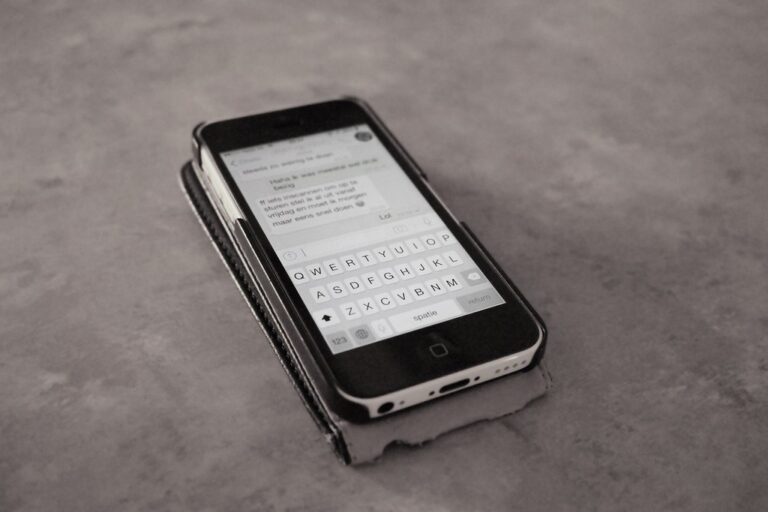
Imagine waking up to a phone with no signal, a flood of password-reset emails, and a bank account that’s been emptied overnight. That’s the SIM swap experience — and in 2026 it’s still one of the fastest ways for criminals to drain accounts, hijack social profiles, and bypass text-based two-factor authentication. Solid SIM swap fraud prevention is no longer optional for anyone who uses a phone number as a recovery method, which is to say almost everyone.
The good news: U.S. carriers are now required to offer free locks that block SIM transfers, and a few simple settings can shut the door on most attacks.
This guide walks you through what a SIM swap actually looks like in 2026, the carrier protections you should turn on today, and the personal habits that quietly remove your phone number from a thief’s playbook. By the end you’ll have a clear, prioritized checklist you can finish before lunch.
What a SIM Swap Actually Looks Like in 2026
A SIM swap (sometimes called SIM hijacking or port-out fraud) happens when an attacker tricks your wireless carrier into moving your phone number to a SIM card or eSIM profile they control.
Beat the Clock. Beat the Scammer.
5 questions. 20-second timer. One shot to stack the combo.
Once the swap completes, your phone loses service and the attacker’s device starts receiving your calls and texts — including every six-digit verification code your bank, email provider, and crypto exchange happily send to your number.
From there the playbook is grim and predictable. The attacker triggers password resets, intercepts the SMS codes, and rotates through your accounts: email first, then financial apps, then social media. Many victims report losing access to a dozen accounts within an hour of losing signal.
How attackers pull it off
SIM swaps usually rely on social engineering, not technical wizardry. A criminal calls or visits a carrier’s retail store posing as you, claims their phone was lost or damaged, and asks for a “replacement” SIM. Armed with publicly leaked details — name, address, last four of a Social Security number, a birthday — they answer the carrier’s verification questions and walk away with your number. In other cases, an insider at a carrier store has been bribed to push the swap through directly.
The current threat picture
The numbers tell the story. The FBI’s Internet Crime Complaint Center logged 982 SIM swap complaints with about $26 million in reported losses in 2024 alone, and SIM swapping climbed into the top five threats reported to IC3 in 2025. International data is uglier still: the UK’s Cifas reported a roughly 1,055% jump in unauthorized SIM swaps year over year in 2024. And a March 2025 arbitration decision ordered T-Mobile to pay $33 million after a single SIM swap drained a customer’s cryptocurrency wallet — a sharp reminder that even one successful swap can be catastrophic.
Turn On Your Carrier’s SIM Lock Today
Since July 8, 2024, the Federal Communications Commission has required every U.S. wireless provider to offer a free SIM lock that prevents number transfers until you personally authorize them. If you haven’t switched yours on, you are leaning on goodwill and minimum-wage call-center training to keep your number safe — not a great plan.
The exact steps differ by carrier, but the lock is always available in the account app, on the carrier’s website, or by calling customer service. Look for menu items labeled “SIM Protection,” “Number Lock,” “Port Freeze,” or “Account Lock.”
Quick setup by carrier
- Verizon: Open the My Verizon app, tap your profile, then “Number Lock” and toggle it on for every line.
- AT&T: Sign in to your wireless account, choose “Wireless Account Lock,” and enable it for each line.
- T-Mobile: In the T-Mobile app, go to Account > Profile Settings > Privacy and Notifications > SIM Protection and switch it on.
- Mint, US Mobile, Cricket, and other MVNOs: Look for the same options in the carrier app, or call support and request both a “SIM lock” and a “port freeze.” If your provider can’t offer both, that’s a signal to switch carriers.
While you’re in your account, check that the carrier has a unique account PIN (not your birthday or last four of your SSN), enable text and email alerts for any SIM or port-out activity, and confirm that two-factor authentication is required to log in to the carrier’s app or website. The Federal Communications Commission keeps an up-to-date overview of these protections in its SIM swapping compliance announcement.
Move High-Risk Accounts Off SMS-Based Two-Factor
The reason SIM swaps pay off is that millions of important accounts still rely on text-message codes. Take that prize away and most attackers move on to easier targets. Audit your highest-value accounts — primary email, banking, brokerage, crypto, payroll, password manager, and social media — and switch each one to a stronger second factor.
The factors that actually beat SIM swaps
- Passkeys. A passkey is a hardware-backed credential stored on your device that can’t be SMS-intercepted. They’re now supported by Google, Apple, Microsoft, most major banks, and a growing list of small-business SaaS tools. If you haven’t set them up yet, our step-by-step passkey setup guide walks you through your first few accounts in about ten minutes.
- An authenticator app. Apps like Google Authenticator, Microsoft Authenticator, 1Password, or Authy generate time-based codes locally, so a stolen SIM is useless against them. Pick one and migrate every account that supports it.
- A hardware security key. A USB or NFC key (YubiKey, Google Titan, Feitian) is the gold standard for high-risk accounts and small-business admin logins. Buy two — a primary and a backup — and register both wherever the account allows it.
Heads up: many sites still default to SMS even when stronger options are available. After enabling a passkey or authenticator, dig into the security settings and explicitly remove the phone number as a recovery factor. Otherwise an attacker can sidestep your shiny new passkey simply by clicking “use SMS instead.” Travelers should also review our guide to two-factor authentication on the road for backup-code best practices before any trip.
Reduce the Personal Data That Powers These Attacks
SIM swaps work because attackers can answer your carrier’s identity questions. Every public mention of your phone number, birthday, address, or family details is fuel for that fire. You can’t scrub the internet clean, but you can make yourself a noticeably harder target.
Spend an hour on data hygiene
- Run a takedown request through a reputable data broker removal service or use the free opt-out forms maintained by major brokers like Whitepages, Spokeo, BeenVerified, and Radaris.
- Switch your social profiles to friends-only and remove birthday, hometown, and phone fields from public view.
- Stop using your real phone number for retail loyalty programs, sweepstakes, and “free Wi-Fi” sign-ups. A free secondary number from Google Voice, MySudo, or a prepaid eSIM keeps the marketing junk and credential-stuffing attempts off your real line.
- Be skeptical of unsolicited calls, especially anyone claiming to be from your carrier asking for a verification code. Tactics from the same family of phone-based scams are documented in our explainer on the dangers of responding to unfamiliar numbers.
Watch for the warning signs
Many SIM swaps are preceded by hours of “warm-up” activity. Treat the following as a five-alarm fire and call your carrier from a different phone immediately:
- Sudden, unexpected loss of cellular signal that doesn’t return after a reboot or airplane-mode toggle.
- A text or email from your carrier confirming a SIM change, port-out, or new device activation that you didn’t request.
- Login alerts, password-reset emails, or “your code is” messages arriving for accounts you weren’t using.
- Friends or coworkers receiving odd texts from your number asking for money or login codes.
If two or more of these happen at once, assume a swap is in progress, contact your carrier’s fraud line, and start changing passwords on a different device.
What to Do in the First 60 Minutes If You’re Hit
Speed matters. Most financial damage during a SIM swap happens in the first hour. Keep this checklist printed and stored somewhere offline so you don’t need your phone to find it.
- Call your carrier’s fraud line from a landline, a friend’s phone, or the carrier’s website chat. Ask them to lock the account, reverse any SIM change, and freeze further changes for at least 30 days.
- Change your email password first, then enable a non-SMS second factor. Email is the master key to almost every other account.
- Lock your financial and crypto accounts. Call your bank’s fraud line to flag suspicious transfers, freeze cards, and place a fraud alert with the three credit bureaus. For crypto, move funds to a hardware wallet you control.
- Report the crime. File a complaint at the FBI’s Internet Crime Complaint Center, your state attorney general, and your local police. The IC3 report number is often required for chargebacks and identity-theft recovery.
- Notify your contacts. Attackers often message friends and family for money or codes. A quick group text or social post warning people not to act on requests from your number can prevent secondary victims.
After the immediate fire is out, request a free credit freeze from Equifax, Experian, and TransUnion, and watch your accounts closely for the next 90 days. Many SIM swap criminals come back weeks later to test whether you’ve actually closed all the doors.
The 10-Minute SIM Swap Defense Checklist
If you only have a few minutes today, do these five things and you’ll have shut down the most common SIM swap pathways:
- Turn on your carrier’s free SIM lock and port freeze.
- Set a unique account PIN that isn’t a birthday, address number, or SSN fragment.
- Enable carrier alerts for any SIM, eSIM, or port-out activity.
- Move your email, bank, and password manager to passkeys or an authenticator app, then remove SMS as a recovery method.
- Buy and register two hardware security keys for your highest-value accounts.
If you run a small business or manage shared accounts for a family, repeat these steps for every owner, executive, and finance staff member. Attackers often hunt for whichever line of yours has the weakest protection. For a broader playbook on hardening accounts in a small office, our small business ransomware protection action plan pairs nicely with the steps above.
Final Word: Your Phone Number Isn’t Identity
The deeper lesson of the SIM swap era is that a phone number was never meant to be an identity document. We just got used to treating it like one. Every step you take to decouple your phone number from your accounts — passkeys, authenticator apps, hardware keys, careful data hygiene — makes a swap less profitable for the attacker and less catastrophic for you.
Start with the carrier lock today. Pick the most valuable account on your list and migrate it to a non-SMS factor this week. Then keep working through your checklist over the next month. Solid SIM swap fraud prevention isn’t a single decision; it’s a small stack of habits that quietly protects your money, identity, and peace of mind.
Want more practical guides like this one delivered weekly? Subscribe to the Making Sense of Security newsletter and read our companion piece on spotting AI voice cloning scams next.